

article number
513857
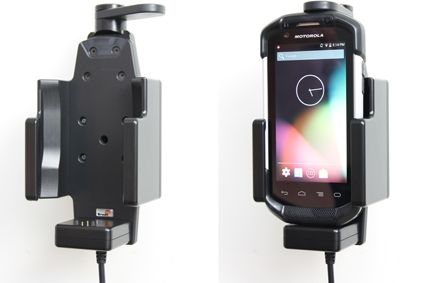
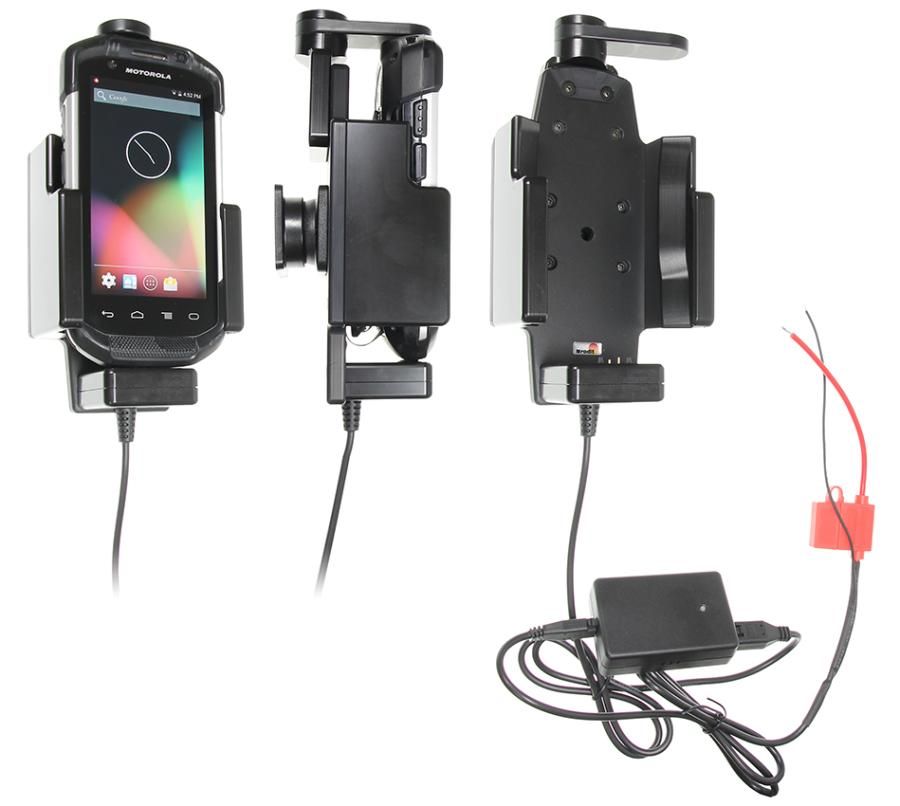
Brodit holder fixed install. Zebra TC70/75 -2A-swiveling top
RRP
€192.95
- Fast Shipping
- High Quality Products
- Secure Payments
The choice for you who want to have you PDA firmly in place, properly attached and still within easy reach. The holder has a strong, robust design to withstand rough handling in professional use. The swiveling top part keeps your device extra securely in place in the holder, it "locks" the device in the holder so that it can not shake the least. It is easy to place the PDA in the holder, and to take it with you when leaving the vehicle. The holder is equipped with a tilt swivel so you can easily adjust the angle for good viewing. Attach onto a ProClip Mounting Platform or a Pedestal Mount.
An active holder which is to be connected inside the dashboard, this gives a discreet, neat installation without cables hanging over the interior! You can choose to use the holder as an active holder for charging of your device only, or to connect an adapter to the Molex connector for additional features. Then you can use the holder also for power supply of a GPS receiver or other own solutions (can not be used for data communication or audio connection). 12/24 Volt. The product is E-approved. Connect the power cable with a 2 A fuse. 2 A charger. Professional installation recommended.
Charging specifications:
Input voltage: DC/10-30V
Charging voltage: DC/4.75-5.3V
Output current(Typ): 2.0A
Input & output protection: Input polarity reversal/Output over voltage/Output over current/Output short protection
LED charging indicator: Power input indicator(Green), Ovp/Ocp/Output short(Red)
Operating temperature: 0°C ~ +40°C
Storage temperature: -20°C ~ +80°C
RoHS compliant: ROHS
| Accessory brand | Brodit |
|---|---|
| Barcode | 7320285138575 |
| Recommended retail price incl. VAT | €192.95 |
| Device with or without case | Without case |
| Holder feature | Device-specific |
| Cable / Qi / charger type / connnector | Molex, fixed install |
| Charge device via | Pogo pins |
| Input Voltage | 12/24V geschikt |
| Voltage (output) | 4.6 - 5.3V |
| Max Amperage | 2,0 Amp |
| Montage standaard | AMPS |
| Device holder lockable? | yes swivel |
| Color | black |
| Productinfo | Brodit houder |
| Product installation | Mount the holder on a ProClip in your vehicle. A detailed installation manual is included in the product packaging |
| Product suitable for info | In the Compatibility tab, check whether your smartdevice is suitable or listed for this holder |
Show more +
Show less -
Show more +
Show less -
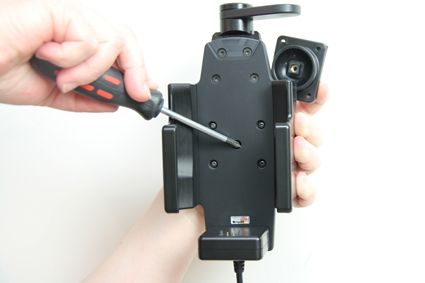
Please read all of the instructions and look at the pictures before attaching the holder.
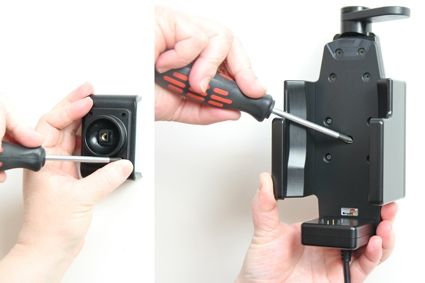
1. Loosen the screw in the center of the holder so you can remove the tilt swivel attaching plate on the back.
2. Place the attaching plate onto the desired position. Screw the attaching plate into place with the enclosed screws. Place the holder over the attaching plate so the screw fits in the hole in the tilt swivel. Tighten the screw until the holder is firmly in place, but still can be adjusted.
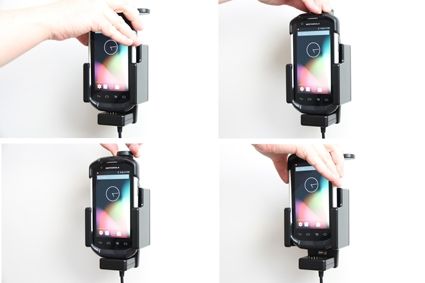
To remove the device from the holder: Turn the swiveling top support sideways in order to set the device free. Lift the device straight upward, out from the holder.